Difference between revisions of "IOS EN"
From CMU ITSC Network
Thomhathai (talk | contribs) |
Thomhathai (talk | contribs) |
||
| Line 4: | Line 4: | ||
* '''If you see both names, it means your device supports the 5GHz frequency. It is recommended to connect to @JumboPlus5GHz.''' | * '''If you see both names, it means your device supports the 5GHz frequency. It is recommended to connect to @JumboPlus5GHz.''' | ||
<pre style="color: red"> Please select only one name. If you choose both names on the same device, it may result in intermittent connectivity issues. </pre> | <pre style="color: red"> Please select only one name. If you choose both names on the same device, it may result in intermittent connectivity issues. </pre> | ||
| − | <br/> [[File:JumboiOS 1.jpg|350 px|link=]] [[File:JumboiOS 2.jpg|350 px|link=]] <br/> | + | <br/> [[File:JumboiOS 1.jpg|350 px|link=]] [[File:JumboiOS 2.jpg|350 px|link=]] <br/><br/> |
2. Enter '''CMU Account''' after that click '''Join''' | 2. Enter '''CMU Account''' after that click '''Join''' | ||
* CMU Students: Firstname_Surname@cmu.ac.th | * CMU Students: Firstname_Surname@cmu.ac.th | ||
Latest revision as of 08:56, 7 July 2026
How to connect @JumboPlus or @JumboPlus5GHz for iOS
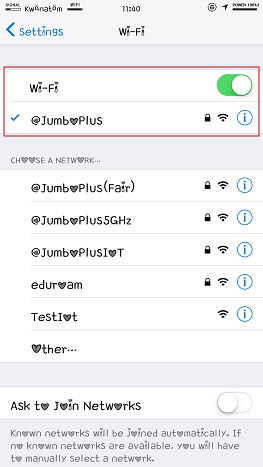
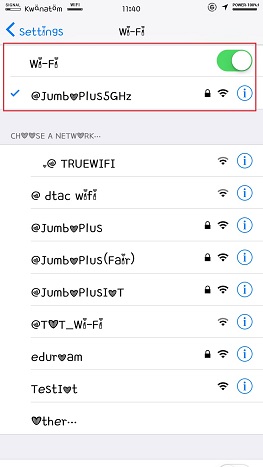
1. Go to Settings >> Wi-Fi >> Turn on Wi-Fi and then select @JumboPlus or @JumboPlus5GHz
- If you only see the name @JumboPlus, it means your device supports the 2.4GHz frequency only.
- If you see both names, it means your device supports the 5GHz frequency. It is recommended to connect to @JumboPlus5GHz.
Please select only one name. If you choose both names on the same device, it may result in intermittent connectivity issues.
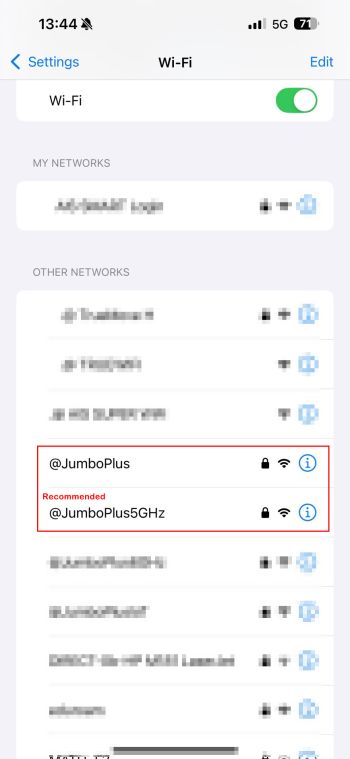
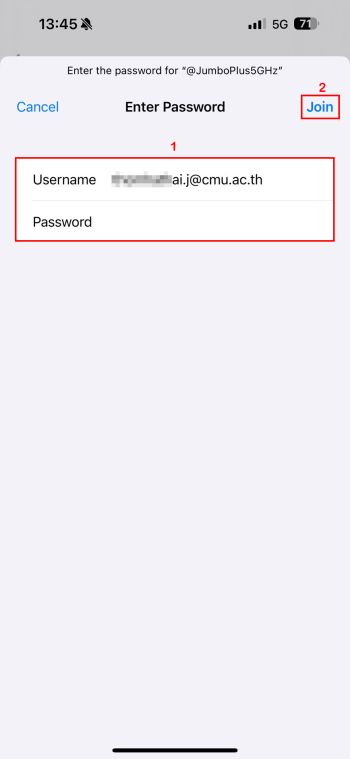
2. Enter CMU Account after that click Join
- CMU Students: Firstname_Surname@cmu.ac.th
- CMU Students with ID 69 onwards: StudentID@cmu.ac.th
- CMU Staffs:Firstname.Surname@cmu.ac.th
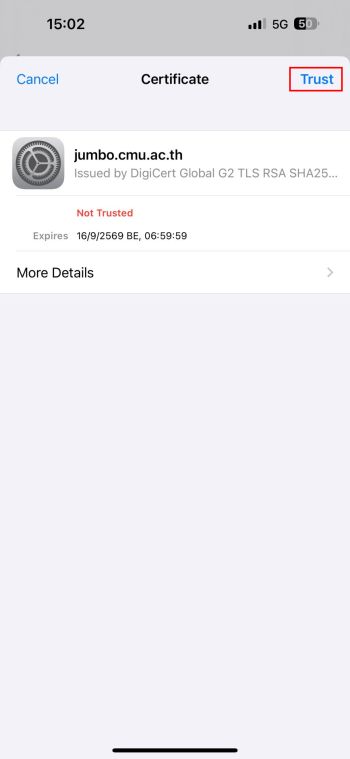
3. At Certificate,Please press Trust
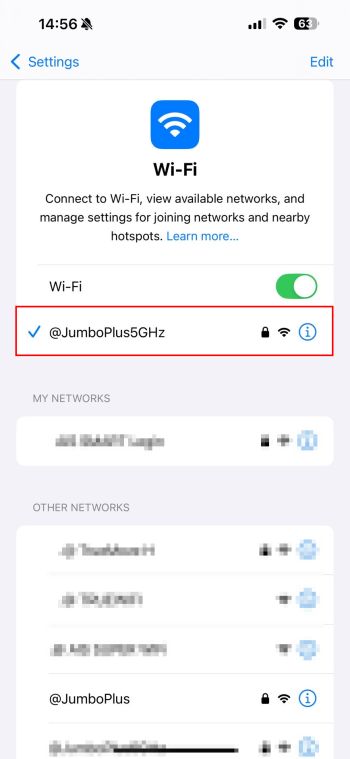
4. After successfully connecting to @JumboPlus or @JumboPlus5GHz, the device will remember the connection for the next time when in a signal area. The device will automatically connect.